
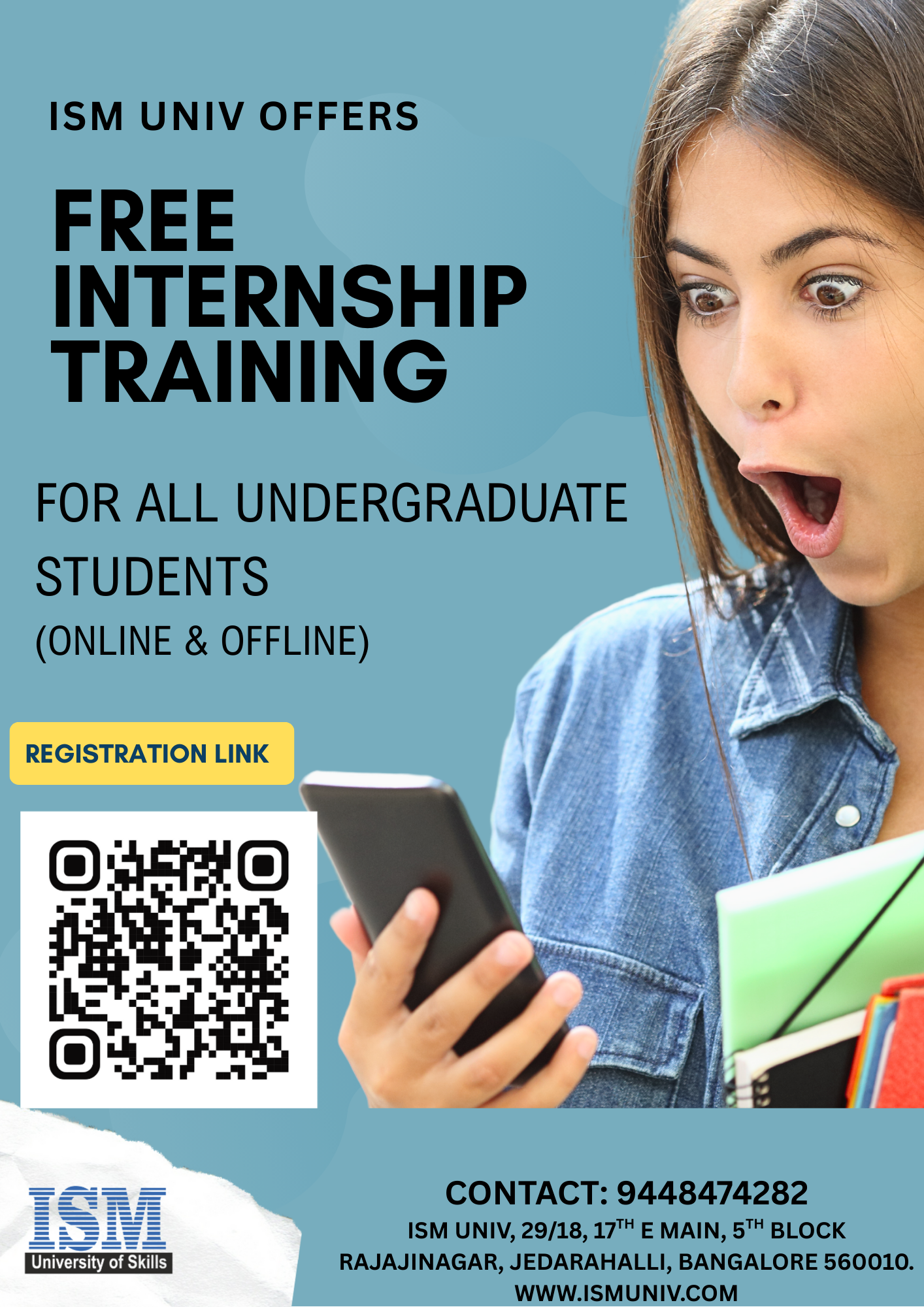
FREE-iNTERNSHIP TRAINING
ELIGIBILITY : 2ND & 3RD YEAR uNDERGRADUATE STUDENTS
LAST DATE FOR REGISTRATION : 28/02/2026
Registrations Closed
INTERNSHIP TRAINING DETAILS
Free-Internship Training Program by ISM UNIV
“Developing an AI Model using PYTHON” – 45 Hours
📌 Program Description
This internship program is designed to equip students with practical, hands-on experience in developing Artificial Intelligence (AI) models using Python.
Participants will learn the fundamentals of Python programming, essential AI and machine learning concepts, data preprocessing techniques, model building, training, evaluation, optimization, and deployment.
The training follows a project-based learning approach, where students work on real-world datasets and develop a complete AI model end-to-end.
By the end of the internship, students will have built a deployable AI model and gained skills required for entry-level roles in AI, Machine Learning, Data Science, and Automation.
🎯 Learning Outcomes
After completing this internship, participants will be able to:
✅ Understand Python essentials for AI development
✅ Work with data using NumPy, Pandas, and Matplotlib
✅ Apply Machine Learning concepts to solve real-world problems
✅ Build supervised and unsupervised ML models
✅ Train, evaluate, optimize, and tune AI models
✅ Implement model deployment using Flask / Streamlit
✅ Understand AI ethics, model biases & real project workflows
✅ Build and submit a complete AI project portfolio
⏱️ Duration: 45 Hours
Below is the recommended hour-wise structured curriculum.
📚 Detailed 45-Hour Course Content
MODULE 1: Python Essentials for AI (8 Hours)
- Introduction to AI & ML (1 hr)
- What is AI, ML, DL?
- Real-world AI use cases
- Types of ML: Supervised, Unsupervised, Reinforcement
- Python Basics Refresher (2 hrs)
- Variables, operators, conditions, loops
- Functions, modules, packages
- Working with files
- Python for Data Handling (2 hrs)
- NumPy: arrays, operations, broadcasting
- Pandas: Series, DataFrames, data cleaning, manipulation
- Data Visualization (3 hrs)
- Matplotlib & Seaborn basics
- Graphs: line, bar, histogram, scatter, heatmap
- Visualizing correlations and distributions
MODULE 2: Machine Learning Foundations (10 Hours)
- Understanding ML Workflow (1 hr)
- Loading data
- Splitting datasets
- Training, testing, validation
- Supervised Learning Algorithms (5 hrs)
- Linear Regression
- Logistic Regression
- Decision Trees & Random Forest
- Support Vector Machines
- Evaluation metrics: accuracy, precision, recall, F1-score
- Unsupervised Learning Algorithms (3 hrs)
- Clustering (K-means, Hierarchical)
- Dimensionality Reduction (PCA)
- Feature Engineering (1 hr)
- Encoding, normalization, scaling
- Handling missing values
- Feature selection & extraction
MODULE 3: Building the AI Model (12 Hours)
- Project Data Collection & Understanding (2 hrs)
- Dataset selection
- Problem formulation
- Exploratory Data Analysis (EDA)
- Model Development (4 hrs)
- Selecting algorithm
- Training the model
- Hyperparameter tuning (GridSearchCV / RandomizedSearchCV)
- Model Evaluation (3 hrs)
- Confusion matrix
- ROC curve & AUC
- Cross-validation techniques
- Model Optimization (3 hrs)
- Bias-variance tradeoff
- Overfitting vs underfitting
- Regularization techniques
MODULE 4: AI Model Deployment (8 Hours)
- Introduction to Deployment (1 hr)
- Importance of deployment
- Local vs cloud deployment
- Deploying with Flask (3 hrs)
- Creating Flask API
- Sending model predictions via API
- Testing with Postman
OR
Deploying with Streamlit (3 hrs)
- Building an interactive dashboard
- Input forms, prediction display
- Hosting options (Streamlit Cloud)
- Saving and Loading Models (1 hr)
- Pickle
- Joblib
- End-to-End Integration (3 hrs)
- Integrating model with UI
- Creating a final working application
MODULE 5: Internship Project (7 Hours)
Students will work on one real AI project such as:
Project Options (Choose Any):
- House Price Prediction
- Customer Churn Prediction
- Loan Eligibility Prediction
- Diabetes Detection Model
- Spam Email Classifier
- Movie Recommendation System
- Sales Forecasting Model
- Image Classification (basic CNN using TensorFlow – optional)
Project Deliverables:
- Problem definition
- Dataset preprocessing
- Model building and tuning
- Evaluation report
- Deployment (Flask/Streamlit app)
- Final project presentation
📄 Deliverables Provided to Students
✔ Internship Certificate
✔ AI Project Source Code
✔ Project Report (PDF)
✔ Resume Projects (1–2)
✔ Training Materials & Notes
✔ Lifetime Access to Model Notebook
Free-Internship Training Program by ISM UNIV
“Data Analytics using Power BI” – 45 Hours
📘Program Description
This internship program provides hands-on training in Data Analytics using Microsoft Power BI, one of the most in-demand business intelligence tools used by organizations worldwide.
Participants will learn how to connect, clean, transform, analyze, and visualize data to deliver actionable business insights.
The internship follows a practical, project-driven approach, where students work with real datasets to build interactive dashboards, data models, and analytical reports.
By the end of the program, learners will be able to develop end-to-end BI solutions suitable for professional roles such as Business Analyst, Data Analyst, BI Developer, and Reporting Analyst.
🎯 Learning Outcomes
After completing this internship, participants will be able to:
✓ Understand core concepts of data analytics & BI
✓ Perform data cleaning, transformation & modeling using Power Query
✓ Create interactive dashboards with advanced visualizations
✓ Write DAX calculations for measures & KPIs
✓ Build relationships and optimize data models
✓ Publish, share, and manage reports in Power BI Service
✓ Apply analytics to solve real industry problems
✓ Build and present a real-world data analytics project
⏱ Duration: 45 Hours
📚 Detailed 45-Hour Training Content
MODULE 1: Foundations of Data Analytics & Power BI (5 Hours)
- Introduction to Data Analytics (1 hr)
- Types of analytics (Descriptive, Diagnostic, Predictive, Prescriptive)
- Role of a Data Analyst
- BI ecosystem & tools
- Getting Started with Power BI (2 hrs)
- Power BI Desktop vs Power BI Service
- Interface overview
- Connecting different data sources
- Understanding Business Reporting (2 hrs)
- What makes a good dashboard?
- KPI concepts
- Dashboard design principles
MODULE 2: Power Query – Data Cleaning & Transformation (10 Hours)
- Introduction to Power Query (3 hrs)
- ETL Concepts
- Query Editor Interface
- Importing large datasets
- Data Cleaning Techniques (4 hrs)
- Removing duplicates & errors
- Handling missing values
- Column splitting, merging
- Data type conversions
- Filtering, sorting, grouping
- Data Transformation (3 hrs)
- Pivot & unpivot
- Conditional columns
- Derived columns
- Appending & merging queries
MODULE 3: Data Modeling & DAX (10 Hours)
- Data Modeling Concepts (3 hrs)
- Star & Snowflake schema
- Fact & Dimension tables
- Creating relationships
- Cardinality & cross-filtering
- DAX Fundamentals (4 hrs)
- Calculated columns vs Measures
- Basic DAX functions: SUM, COUNT, CALCULATE
- Time intelligence functions
- Advanced DAX (3 hrs)
- Variables in DAX
- Filtering functions (FILTER, ALL)
- Evaluation context
- KPI creation
MODULE 4: Data Visualization & Dashboard Design (10 Hours)
- Power BI Visuals (4 hrs)
- Bar, line, pie charts
- Cards, tables, matrices
- Maps & geospatial visuals
- Tree map, funnel, scatter plot
- Advanced Visualizations (3 hrs)
- Custom visuals
- Bookmarks & storytelling
- Tooltips & drill-through
- Slicers & filters
- Dashboard Best Practices (3 hrs)
- Choosing the right chart
- Layout & design rules
- Color themes
- User navigation techniques
MODULE 5: Power BI Service & Deployment (5 Hours)
- Publishing Reports (2 hrs)
- Uploading reports to Power BI Service
- Datasets, Workspaces, Apps
- Data refresh schedules
- Sharing & Collaboration (2 hrs)
- Sharing dashboards
- Managing permissions
- Exporting reports
- Mobile Layout (1 hr)
- Designing mobile-friendly dashboards
- Testing on Power BI Mobile
MODULE 6: Internship Project (5 Hours)
Students will build a complete analytical dashboard using real-world data.
Sample Project Options:
- Sales Analytics Dashboard
- HR Attrition Dashboard
- Financial Performance Dashboard
- Retail Store Performance Dashboard
- Student Performance Analytics
- Hospital/Healthcare Analytics
- Supply Chain Dashboard
- Marketing Campaign Performance Dashboard
Project Deliverables:
- Power Query cleaning & transformation
- Data modeling
- DAX calculations
- Interactive dashboard
- Project documentation & presentation
📄 Deliverables Provided to Students
✔ Internship Certificate
✔ Project Power BI File (.pbix)
✔ Dashboard Screenshots for Resume
✔ Project Report (PDF)
✔ Notes & Dataset
✔ Resume-ready Data Analytics Project
Free-Internship Training Program by ISM UNIV
“Full Stack Development” – 45 Hours
📘 Program Description
This internship program is designed to provide students with hands-on experience in developing full-stack web applications.
Participants will learn both front-end and back-end development, including HTML, CSS, JavaScript, modern frameworks, database integration, APIs, and deployment.
The program follows a project-based learning approach, enabling students to build real-world, end-to-end applications.
By the end of the internship, students will be able to design, develop, and deploy scalable full-stack applications using industry-relevant tools.
🎯 Learning Outcomes
Participants will be able to:
✓ Build responsive, interactive front-end interfaces
✓ Develop back-end services using Node.js / Express
✓ Work with relational or NoSQL databases
✓ Create REST APIs and connect front-end with back-end
✓ Use Git & GitHub for version control
✓ Deploy applications on cloud platforms
✓ Build and present a complete full-stack project
⏱ Duration: 45 Hours
📚 Detailed 45-Hour Training Content
MODULE 1: Web Development Fundamentals (6 Hours)
- Introduction to Full Stack Development (1 hr)
- What is full stack?
- Front-end vs back-end
- Client-server architecture
- Web application workflow
- Front-End Basics (5 hrs)
HTML5
- Structure, tags, forms, semantic elements
CSS3
- Styling, box model, flexbox, grid
- Responsive design concepts
JavaScript Fundamentals
- Variables, functions
- DOM manipulation
- Basic events
MODULE 2: Front-End Development (10 Hours)
- Modern JavaScript (3 hrs)
- ES6 features
- Arrow functions, promises
- Fetch API & async programming
- React.js Essentials (7 hrs)
- Introduction to React & component model
- JSX, props, state
- Functional components & hooks
- Routing with React Router
- Handling forms & API calls
- Building UI modules
- Simple front-end mini-project
MODULE 3: Back-End Development (10 Hours)
- Node.js Fundamentals (3 hrs)
- What is Node.js
- NPM & package management
- Modules & file handling
- Express.js Framework (4 hrs)
- Creating server
- Routing
- Middleware
- Handling requests & responses
- Error handling
- REST API Development (3 hrs)
- Designing API endpoints
- Connecting with front-end
- Postman testing
- JSON handling
MODULE 4: Database Integration (6 Hours)
- SQL or NoSQL Overview (1 hr)
- Types of databases
- When to use SQL vs NoSQL
- MongoDB (3 hrs)
- Collections, documents
- CRUD operations
- Connecting Node.js with MongoDB
- Mongoose basics
- Relational Database (Optional – 2 hrs)
- MySQL basic commands
- Table creation & queries
- Connecting Node.js with MySQL
MODULE 5: Full Stack Integration + Deployment (6 Hours)
- Connecting Front-end and Back-end (2 hrs)
- API consumption in React
- Sending & receiving JSON
- Connecting forms to back-end
- Authentication & Security (2 hrs)
- JWT Authentication
- Password hashing
- Securing API routes
- Deployment (2 hrs)
- Deploying on Render / Netlify / Vercel
- Front-end deployment
- Back-end deployment
- Environment variables
MODULE 6: Internship Project (7 Hours)
Students will build a complete, working Full Stack Application.
Sample Project Ideas:
- Student Management System
- E-commerce Mini App
- Task Management / To-do App
- Job Portal Mini Project
- Blog Application
- Food Ordering App
- Notes App with Authentication
- Contact Manager with Database
Project Deliverables:
- UI/UX design
- Front-end React app
- Back-end API
- Database schema
- Integration & testing
- Deployment link
- Project presentation
📄 Deliverables Provided to Students
✔ Internship Certificate
✔ Project Source Code
✔ Live Deployed Project Link
✔ Project Report (PDF)
✔ All Training Materials
✔ Resume-ready project